Support for Partial Points (Decimals) in Housekeeping
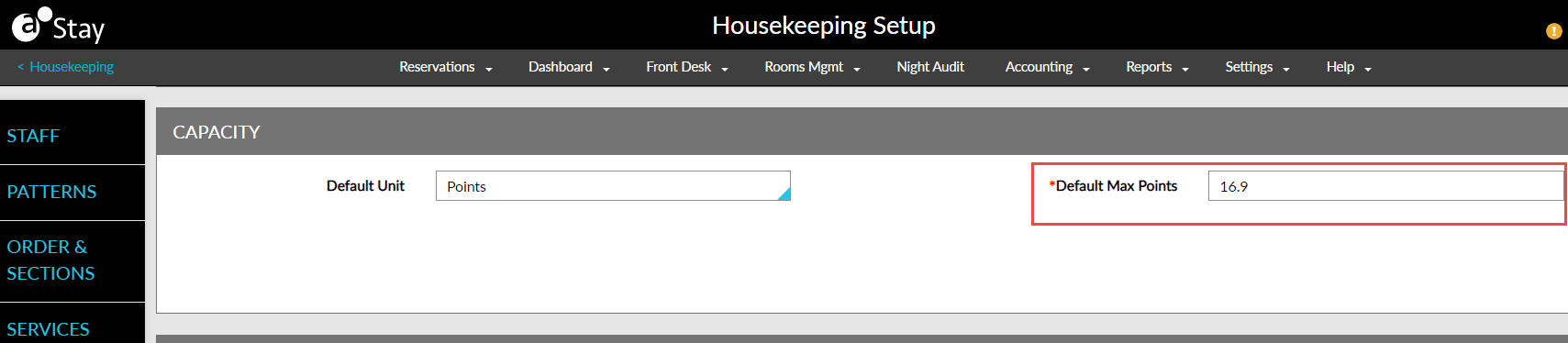
Stay is enhanced to allow users to enter points with decimal values supporting up to 2 digits. This applies to service requests weightage points and capacity (in points) in the Housekeeping module.
Earlier, users could enter whole numbers only. Now, users can enter points with decimal values and up to 2 digits after the decimal point. When users enter more than two digits after the decimal point, the message Only two digits must be entered after the decimal point is displayed. The number zero can also be entered as a decimal value (0.0).
Users can enter partial points in the following screens:
-
Default Max Points in Housekeeping ➜ Housekeeping Setup ➜ Capacity
-
Points fields in Add Housekeeping Service from Housekeeping ➜ Housekeeping Setup ➜ Services ➜ Add New
-
Points field in Services section under Housekeeping ➜ Housekeeping Setup ➜ Services
-
Capacity in Points field of New Staff screen under Housekeeping ➜ Housekeeping Setup ➜ Staff ➜ Add New
-
The capacity field in the Staff section
-
The capacity field in the Bulk edit staff screen
-
Max Points in the Staff on Duty section of the Staff screen
-
Total points in the unassigned service requests header
-
Points field of Unassigned and Assigned section in Assign screen
-
Points column in the assigned service list of the print screen
-
Partial points in the Housekeeping Assignment sheets
-
Points column in the Assigned Services list of Staff and Rooms view of housekeeping dashboard/home screen
When the service requests are auto assigned based on Even Split and Staff Priority, the partial points of the service requests and staff priority are considered during the assignment.